Introducing the game Minecraft: Bedrock Edition APK
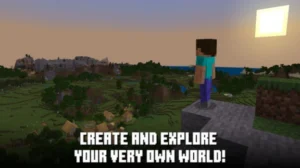
Minecraft: Bedrock Edition is a sandbox survival game developed by Mojang Studios and published by Microsoft, replacing the old Pocket Edition on September 20, 2017, for Android, consoles, and Windows devices. With recent updates like Mounts of Mayhem introducing new mechanics and monsters, the adventure possibilities are truly limitless, from simple survival challenges to complex redstone automation and creative architectural constructions. If you’re ready to experience the most connected version of this global phenomenon and join a huge community of builders, it’s time to find the latest version. Read on to explore the features, mechanics of building and surviving together in the same vast world and download Minecraft: Bedrock Edition now.
All the outstanding features in Minecraft: Bedrock Edition APK Latest Version
The power of Minecraft: Bedrock Edition lies in its comprehensive feature set, designed for connectivity and ease of use.
- Universal Cross-Platform Multiplayer: This is the bedrock (pun intended!) of this edition. Players can instantly join friends across Xbox, PlayStation, Nintendo Switch, Windows PC, and mobile devices. A simple Microsoft Account is all that’s needed to bridge these platforms, making spontaneous adventures easier than ever.
- The Marketplace: Bedrock Edition features the official Minecraft Marketplace, an in-game store providing a safe, curated source of content. Here, you can purchase texture packs, custom skins, unique adventure maps, and Add-Ons created by Mojang-approved community partners using Minecoins. This system supports creators and ensures all content is family-friendly and reliable.
- Persistent Worlds (Realms): Want a world that’s always online? Minecraft Realms offers a subscription service for a private, dedicated server for you and up to 10 friends. Your Realm stays active 24/7, allowing construction and exploration to continue even when the owner is offline.
- Optimized Performance: Thanks to its C++ coding, the Bedrock Engine (including the RenderDragon graphics engine) is highly optimized. It offers superior frame rates and stability, especially on mobile and lower-end hardware. On compatible devices, it even supports cutting-edge features like Ray Tracing for incredibly realistic lighting and shadows.
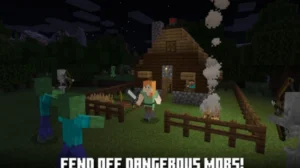
- New Combat & Construction: Recent updates, including the Tricky Trials drop (1.21), have added engaging new mechanics. Explore the challenging Trial Chambers , face the wind-based Breeze mob, and craft the revolutionary Crafter block for automated redstone builds.
World Generation & Ore Spawn Optimization in Minecraft: Bedrock Edition APK
Minecraft worlds have vertical depth, with some ores appearing near the surface, while others are deep underground or high above ground. Knowing the “sweet spot” of Y-levels means less wasteful digging and a higher chance of finding valuable ores.
1. Optimal Ore Spawn Levels (Veteran Layer)
Here are generally accepted good levels (Y-levels) for key ores in Bedrock (as of recent updates).
- Diamond: best between Y = -59 and -53, spawn range roughly –64 to +16.
- Redstone: often found near Y = -59.
- Iron: wide spawn range; commonly around Y = 14 or high altitudes (e.g. mountain biomes).
- Gold: tends to spawn from Y = -64 up to ~ +32; good yield around mid-depth.
- Copper: spawn range –16 to +112, common near Y = 43.
- Lapis Lazuli: spawn range –64 to +64, often near Y = -2.
- Below Y=0, “deepslate” ore still occurs but in deepslate form, which is more difficult to mine.
2. Tips to Maximize Ore Yield & Stay Safe (Mixed Layer)
- Strip-mining vs. Caving: Open pit mining at Y = -59 with branch tunnels will expose the best rock for diamonds and redstone. Exploring deep caves will reveal exposed veins of ore, but exposed ore in the air is generally rarer than ore hidden deep in shale.
- Use water & safety gear: Below Y ~ -50 you run the risk of having to constantly carry a bucket of water or fire retardant if available.
- Target ore-rich layers rather than biome or randomness: Since spawn layers are fixed, “bad luck” often comes from wrong Y-level rather than randomness.
- Don’t ignore mid-level ores: Iron, gold, and copper spawn in many places and are essential in the early and mid game; don’t immediately head to the deep mines.
Pros and Cons of Minecraft: Bedrock Edition APK
1. Pros
- Easy, unified multiplayer: Bedrock ties neatly into Realms and Realms Plus, letting friends on consoles, mobile, and Windows join the same private server with minimal setup and automatic backups.
- Built-in content ecosystem: The Minecraft Marketplace, Realms Plus, and Marketplace Pass bundles give quick access to curated adventure maps, mini-games, skins, and texture packs that work across all your Bedrock devices under one Microsoft account.
- Modern graphics options: Bedrock is the first edition to receive advanced visual modes like RTX ray tracing and the newer “Vibrant Visuals” renderer, which add lighting, shadows, and effects without requiring heavy client-side modding.
2. Cons
- Paid add-ons and microtransactions: Many Bedrock add-ons and cosmetic packs are sold through the Marketplace using Minecoins, whereas most Java and resource packs are distributed for free by the community.
- Shallower customization and mechanics: Bedrock’s official “add-ons” system is easier to install but can’t alter the game as deeply as Java’s mod loaders, and some systems (like redstone and world generation) are intentionally simplified.
- Edition lock-in for servers: While Bedrock works across many devices, it still can’t join Java Edition servers or Realms, so communities built on Java remain separate unless they use complex third-party bridges.
Tips for Playing Minecraft: Bedrock Edition APK
1. Smart Survival & Early-Game Tips
- Build a simple shelter before nightfall: even a small mud or wood hut with a door and a torch will keep you safe from the mobs.
- Use a water bucket when mining near lava: before digging down or towards exposed rock, pour water on the ground to avoid accidental lava falls.
- Cook or grill food early and cheaply: On Bedrock, you can use a campfire instead of a furnace to cook food quickly without wasting fuel.
2. Efficient Resource Gathering & Mining
- Strip-mine at diamond level: When mining for diamonds, target around Y = -58 in caves and underground to maximize yield.
- Using Bedrock to Save Fuel: When smelting on Bedrock, bedrock can be more fuel efficient than using coal, charcoal in some kiln and smokehouse setups.
- Light the cave before digging: Always place torches and block off unexplored tree branches before digging to avoid being attacked by mobs.
3. Bedrock-Specific Build & Mechanic Tricks
- Use the redstone dust trick to place blocks over gaps: On Bedrock, placing redstone dust on the ground can help you place a block directly in front, which is handy when bridging lava or chasms in The Nether or The End.
- Use cauldrons creatively: In Bedrock, you can fill cauldrons with potions or dyes, for example, dye leather armor by right-clicking on a cauldron with leather armor in hand.
Conclusion
Minecraft: Bedrock Edition is the most versatile and connected version of the global sensation. It is constantly updated with new features, mobs, and challenges, ensuring the adventure never ends. Don’t wait to join the millions of players digging, crafting, and creating their legacies. Download Minecraft: Bedrock Edition today if you’re really into your blocky side.
FAQs
1. Can Bedrock players use commands without cheats?
No, enabling commands automatically turns on cheats and disables achievements for that world.
2. Does Bedrock Edition support split-screen?
Yes, split-screen is available on consoles like Xbox and PlayStation for local multiplayer.
3. Does Bedrock have hardcore mode?
No, Hardcore mode is currently exclusive to Java Edition.
4. Can you join servers on mobile Bedrock?
Yes, mobile players can join featured servers and custom servers using the server list.
5. Can you transfer Bedrock worlds between devices?
Yes, worlds can be transferred using cloud sync (Realms) or manual file export.